Let the image lead.
Choose a hero, a product grid, a slider, or hotspots. Give each look the space it needs.
 AI Shop the Look & Lookbooks
Shop the look app comparison
Go beyond a row of matching products. Build image-led looks, browsable lookbooks, and a buying experience that fits your store.
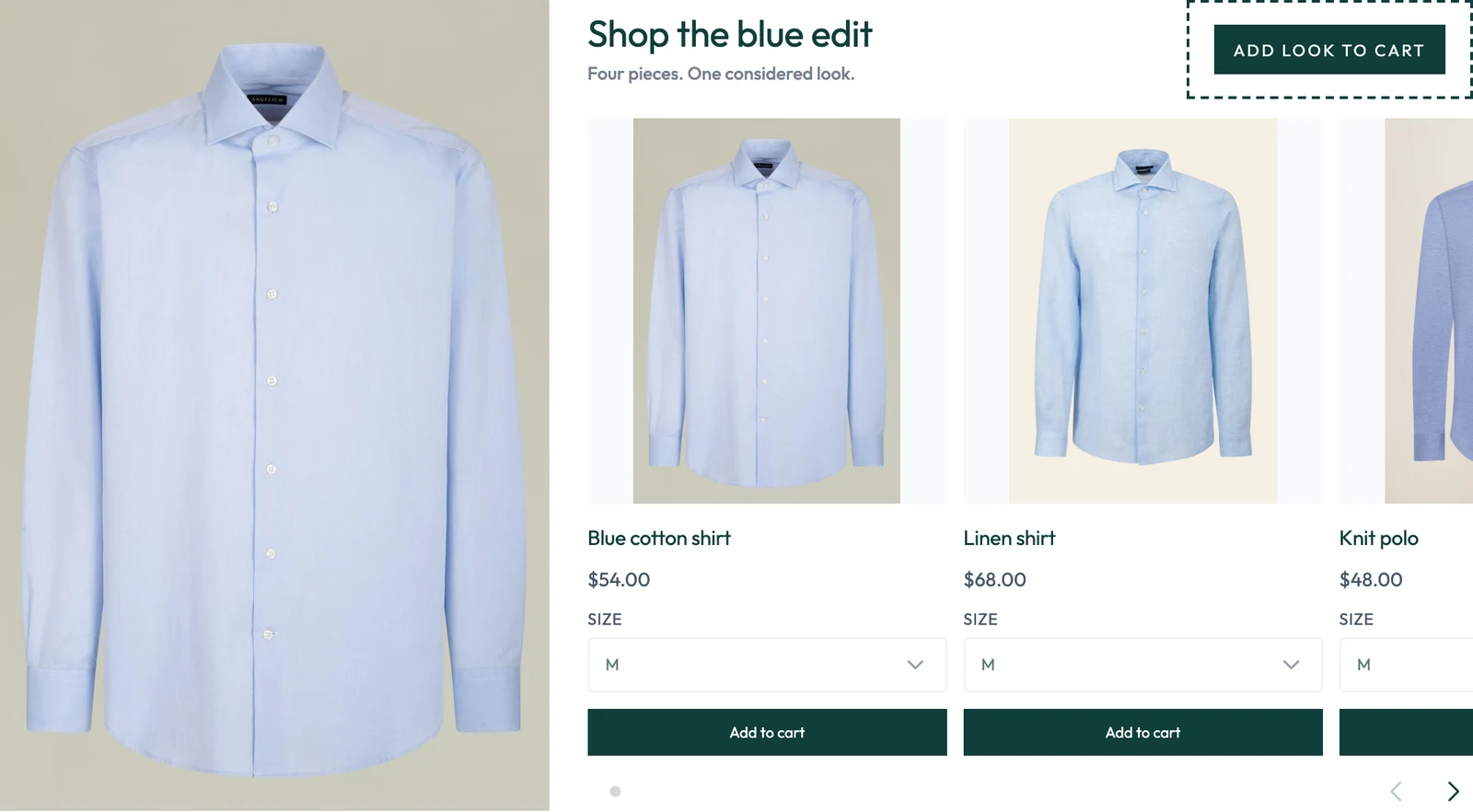
See what you can build
Choose a product-level look or a full lookbook. Then shape the images, product cards, typography, spacing, and controls around your store.
Give each product equal space. A clear way to show the pieces in a look.
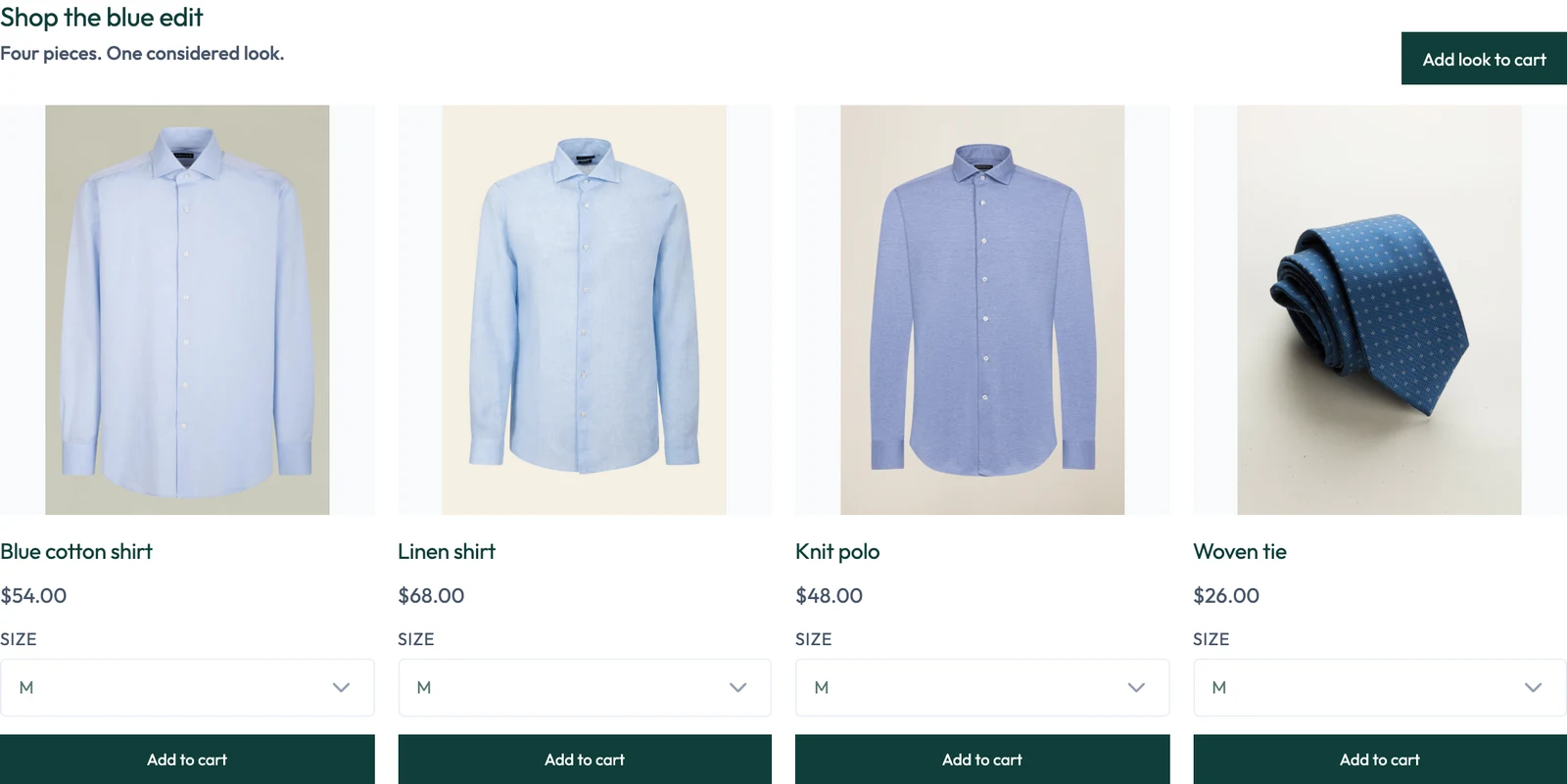
Scroll the preview to see the full layout. Actual app renderer with sample products and settings—not a live merchant store. Controls and placements depend on your plan.
Keep the design in your hands
Start with the format that fits the products. Then adjust the details that make it feel at home on your site.
Explore the app ↗Choose a hero, a product grid, a slider, or hotspots. Give each look the space it needs.
Change typography, spacing, cards, colors, buttons, and slider controls in the visual settings.
Use HTML wrappers, product-card templates, and CSS overrides when a ready-made design is not enough.
Less repetitive catalog work
Connect a supported AI assistant to your catalog. Ask it to find products, prepare a look, or update existing content—then review the result.
Uses an authorized MCP connection. Setup and plan availability apply. This diagram explains the workflow; it is not a live assistant session.
“Find blue pieces for a summer edit.”
Search products and retrieve their actual images.
Choose products, prepare content, and set a layout.
Keep the final products and presentation in your hands.
The differences that matter
Our strongest fit is a store that wants layout choice, deeper design control, and connected catalog workflows.
| What you need | Our appAI Shop the Look & Lookbooks | Ace ‑ Shop the look ↗ | Byte Lookbook & Shop The Look ↗ | Lookfy Lookbook: Image Gallery ↗ |
|---|---|---|---|---|
| Layout range | ✓7 look-layout families + 7 lookbook formats | List and grid; inline and pop-up | Carousels, hotspots, and galleries | Rows, carousel, masonry, list, and grid |
| Design control | ✓Visual settings + HTML wrappers, card templates, and CSS | Colors, fonts, buttons; custom HTML listed | Ready-made designs and custom CSS | Drag-and-drop arrangement and custom CSS |
| AI-assisted work | ✓Authorized assistant tools for catalog search, looks, layouts, and lookbooks | Assistant connection not documented | Assistant connection not documented | AI product suggestions listed |
| Measure the result | ✓Add-to-cart and attributed revenue by look | Check the current listing and plan | Advanced analytics on Growth | Check the current listing and plan |
Compare the controls, not just the counts: layout names are not standardized across apps. “Not documented” means the public listing does not establish the capability, not that the app cannot do it. Features can depend on plan and placement.
Choose for the job
Different stores need different tools. Here is the practical distinction.
Choose our app if you want product looks and full lookbooks, room to customize their design, and assistant tools that can work with your catalog.
See plans and features ↗Consider Ace if you want a straightforward product-page look with list or grid displays.
Read the official listing ↗Consider Byte if hotspots, galleries, and product, cart, or collection placements are your main requirements.
Read the official listing ↗Consider Lookfy if you need a flexible image gallery as well as shoppable product tags.
Read the official listing ↗It brings product-level looks, full lookbooks, seven named look-layout families, seven lookbook formats, visual design controls, and an authorized AI-assistant workflow into one app. Choose it when you want to shape the shopping experience, not only add a row of matching products.
Yes. They are rendered by the app’s storefront code using sample products and settings. They are not screenshots of a merchant’s live store. The layout selector changes the preview image; it does not run a live cart or app demo.
Yes. After you authorize a supported assistant connection, its tools can search your catalog, retrieve product images, create or update looks, and work with layouts and lookbooks. Review the products and result before publishing. Connection setup and plan availability apply.
Check your theme’s app-block support and test the placements you intend to use. There is no controlled head-to-head speed benchmark behind this comparison, so we do not claim the app is faster than every alternative. Test the same page, products, and devices before and after installing.
No. Start with a layout and use its visual settings. HTML wrappers, product-card templates, and CSS overrides are available when you need deeper customization; check the plan for the controls you need.
Yes. Send your store link and the look you want to create through support. The team that builds the app can help with setup, layout choices, and troubleshooting.
Our layout names and controls were checked against the app source. Competitor details come from their public Shopify listings, not a hands-on test of their paid plans. Checked 30 October 2026. We publish this comparison and develop AI Shop the Look & Lookbooks.
Start with a look of your own
Try the free plan, or send us your store link for help choosing a layout.