Collection page and search#
Open a collection in the theme editor: Online Store > Themes > Customize, then pick Collections > Default collection from the page menu at the top.
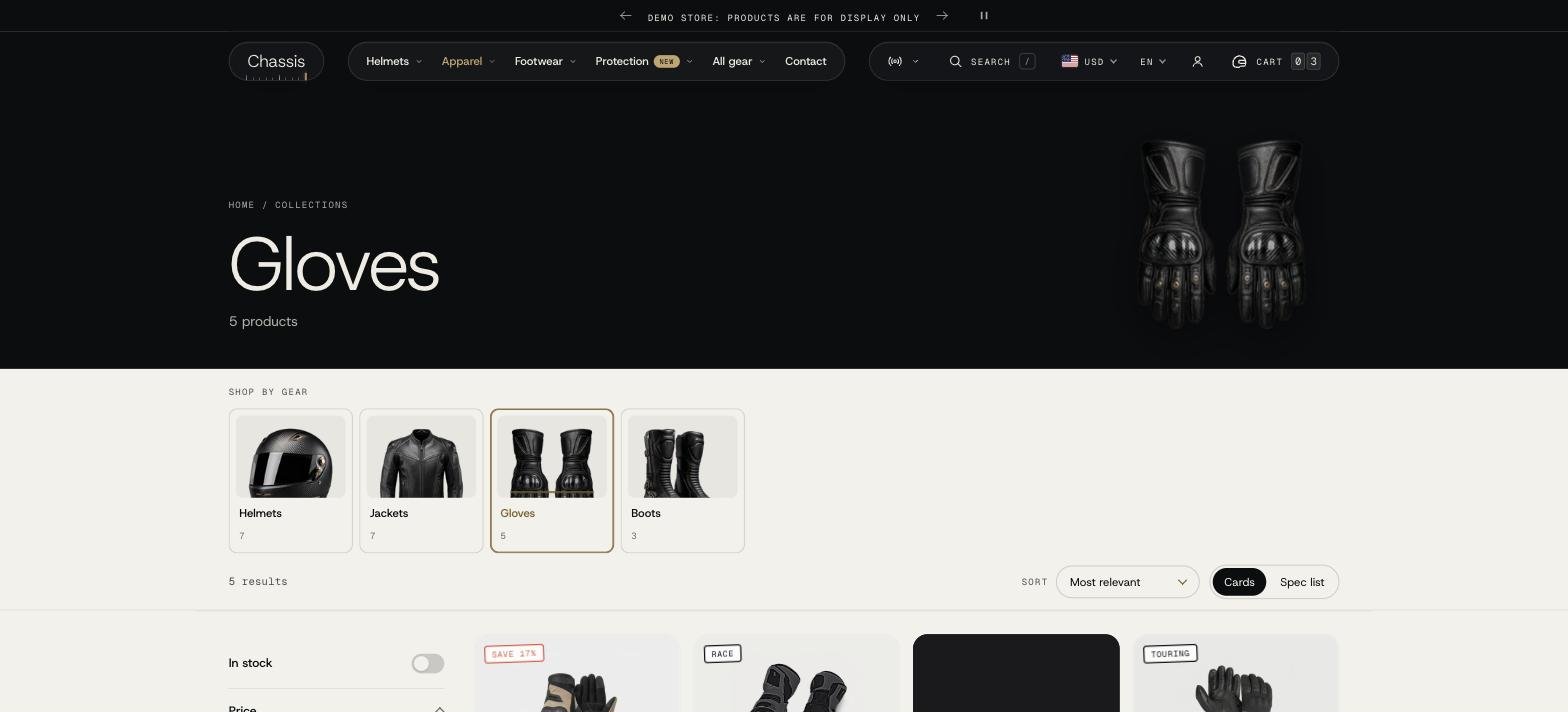
The Collection section#
- Products per page, Columns (fit the screen, or 2 to 5) and, on phones, 1 or 2 columns.
- Pagination: a Load more button, loading more as the shopper scrolls, or page numbers.
- Enable list view: shoppers can switch between cards and a dense list, handy for comparing gloves or boots by price and sizes.
Blocks#
| Block | What it does |
|---|---|
| Banner | The collection title on its image, with breadcrumbs, the product count and the description. The image comes from the collection; you can set another one. |
| Collection links | Tiles or chips linking to related collections, for example Race, Touring, Adventure inside Helmets. |
| Text | A short text above the products. |
| Promo tile | A tile with an image, text and a button, placed among the products at the position you choose. |
Filters#
Filters come from Shopify's free Search & Discovery app: install it, then go to Apps > Search & Discovery > Filters and add filters such as Availability, Price, Product type, Color, Size or Vendor. The theme shows them automatically.
How they look is set in Theme settings > Filters: a side rail or a drawer, colors as swatches, sizes as size tags, and an In stock only switch. On phones filters open as a bottom sheet or full screen.
Why doesn't a color show as a swatch in the filters?#
Color swatches in filters use Shopify's swatch data. Make sure the products' Color option is linked to the Color category metafield with a swatch per value (open a product and edit the Color option).
Collections list page#
The page at /collections lists all collections. Open it with Collections list in the page menu. You can sort the collections, hide empty ones, and choose Cut-out (for product photos with a transparent background) or Full photo images.
Search#
The search page (Search in the page menu) sets results per page and columns. Suggestions > Menu shows links before a search and when nothing is found.
Suggestions while typing are turned on in Theme settings > Search behavior. The Search block in the Header sets where the search opens and its quick links.