Footer#
Click Footer in the left sidebar of the theme editor.
Settings#
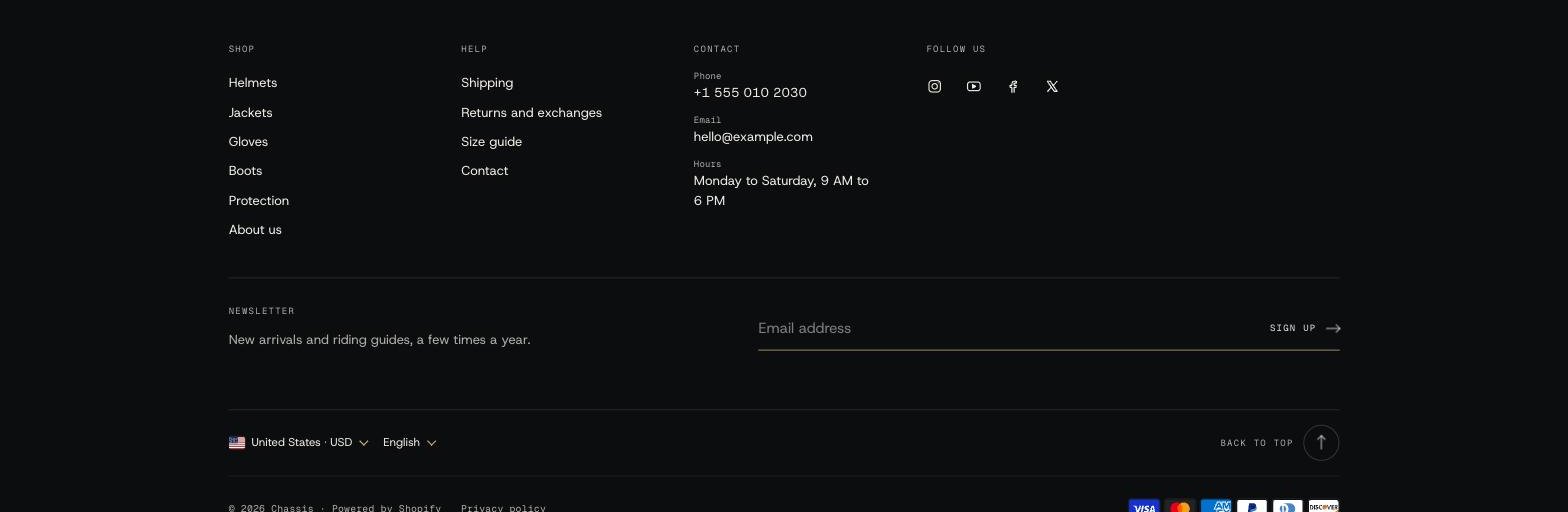
- Large brand display: your store name or logo set large across the top of the footer, or none. Label above the brand display adds a short line over it.
- Bottom bar: country and language selectors, Follow on Shop, social icons, policy links, payment icons, Powered by Shopify and a Back to top button.
- Mobile layout: one or two columns, and Fold menus into their headings so each menu opens with a tap.
Blocks#
| Block | What it does |
|---|---|
| Menu | A heading and a menu from Content > Menus. |
| Text | A heading and text, for example about your shop or workshop. |
| Image | An image with an optional link and caption, such as a certification badge. |
| Contact | Phone, email, opening hours and address. |
| Social media | Your accounts from Theme settings > Social media. |
| Email signup | A newsletter form. Signups go to Customers with email marketing accepted. |
Each block has Show on phones and a Column width.
Where do the policy links come from?#
From Settings > Policies. Fill in the refund, privacy, terms of service and shipping policies there, and turn on Show policy links.