Collection page and search#
Open a collection in the theme editor: Online Store > Themes > Customize, then pick Collections > Default collection from the page menu at the top.
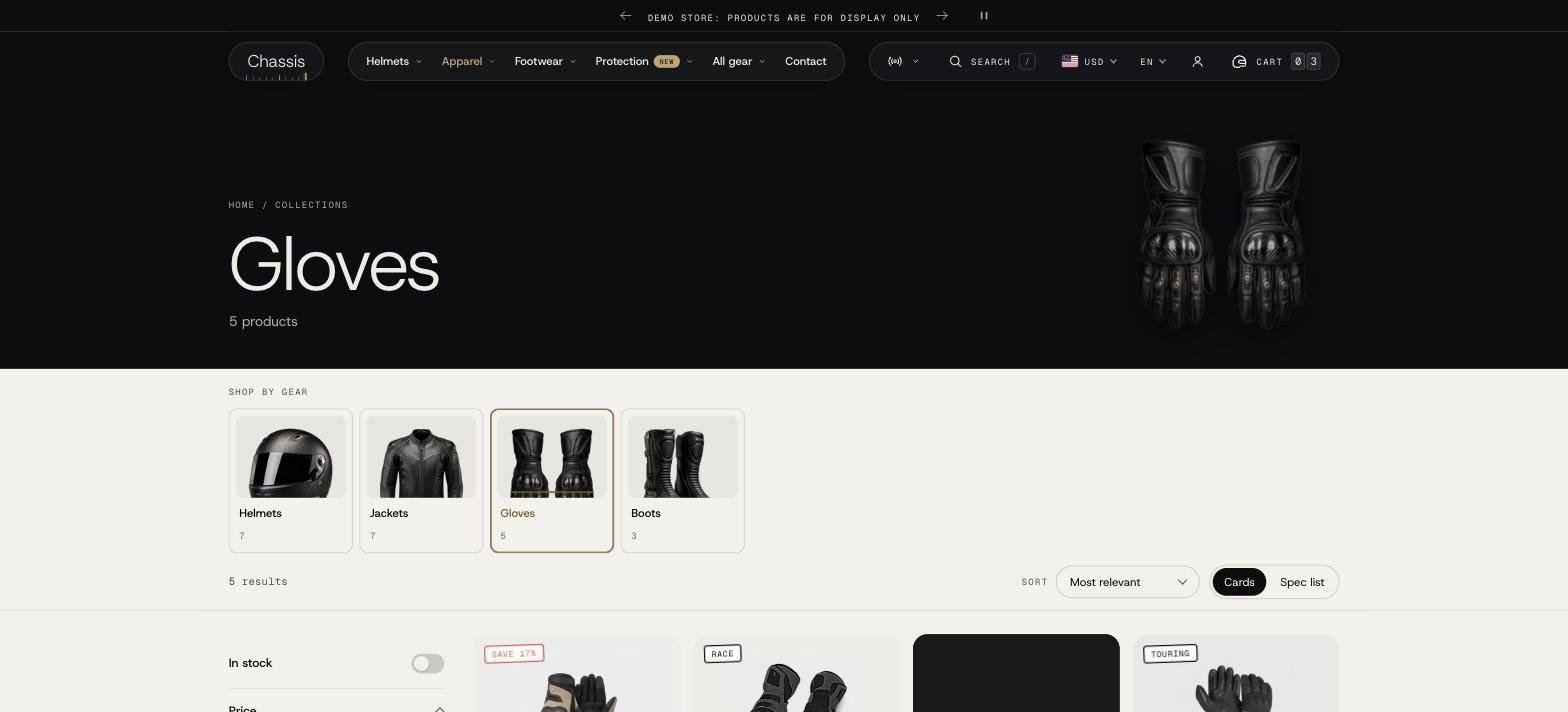
The Collection section#
- Products per page, Columns (fit the screen, or 2 to 5) and, on phones, 1 or 2 columns.
- Pagination: a Load more button, loading more as the shopper scrolls, or page numbers.
- Show list view option: shoppers can switch between cards and a dense list, handy for comparing gloves or boots by price and sizes. List style: Ticket puts the price and button on a stub behind a tear line; Plain keeps each row simple.
Blocks#
| Block | What it does |
|---|---|
| Banner | The collection title with the product count as a large outlined number above it, breadcrumbs and the description. The image comes from the collection; you can set another one. Image position: beside the heading, behind it, or hidden. Beside the heading, Style is a framed photo (cut on a slant with a brass edge and a tick ruler, running to the screen edge) or a cutout product; Image fit fills the frame or shows the whole image; Image width small, medium or large. Show background grid puts a grid behind the heading. Under Mobile layout: show the image, and put it above or below the text. |
| Collection links | Tiles or chips linking to related collections, for example Race, Touring, Adventure inside Helmets. |
| Text | A short text above the products. |
| Promo tile | A tile with an image, text and a button, placed among the products at the position you choose. |
| Custom Liquid | Your own Liquid, HTML or app snippet. |
Filters#
Filters come from Shopify's free Search & Discovery app: install it, then go to Apps > Search & Discovery > Filters and add filters such as Availability, Price, Product type, Color, Size or Vendor. The theme shows them automatically.
How they look is set in Theme settings > Filters: a side rail or a drawer, colors as swatches, sizes as size tags, and an In stock only switch. On phones filters open as a bottom sheet or full screen.
Why doesn't a color show as a swatch in the filters?#
Color swatches in filters use Shopify's swatch data. Make sure the products' Color option is linked to the Color category metafield with a swatch per value (open a product and edit the Color option).
Collections list page#
The page at /collections lists all collections. Open it with Collections list in the page menu. You can sort the collections, show or hide empty ones (Show empty collections), and choose Cutout (for product photos with a transparent background) or Full photo images.
Search#
The search page (Search in the page menu) sets results per page and columns. Suggestions > Menu shows links before a search and when nothing is found.
When a search finds nothing, the page shows a timing board at 00 with a hint, links to your product types and the Suggestions menu, and a button to all products, beside a short list of the store's popular products. Shoppers always have a next step.
Suggestions while typing are turned on in Theme settings > Search behavior. The Search block in the Header sets where the search opens and its quick links.