
Blog and articles
Your blog content appears in three places: the blog page that lists posts, the article page for each post, and a Blog posts section you can add to any page.
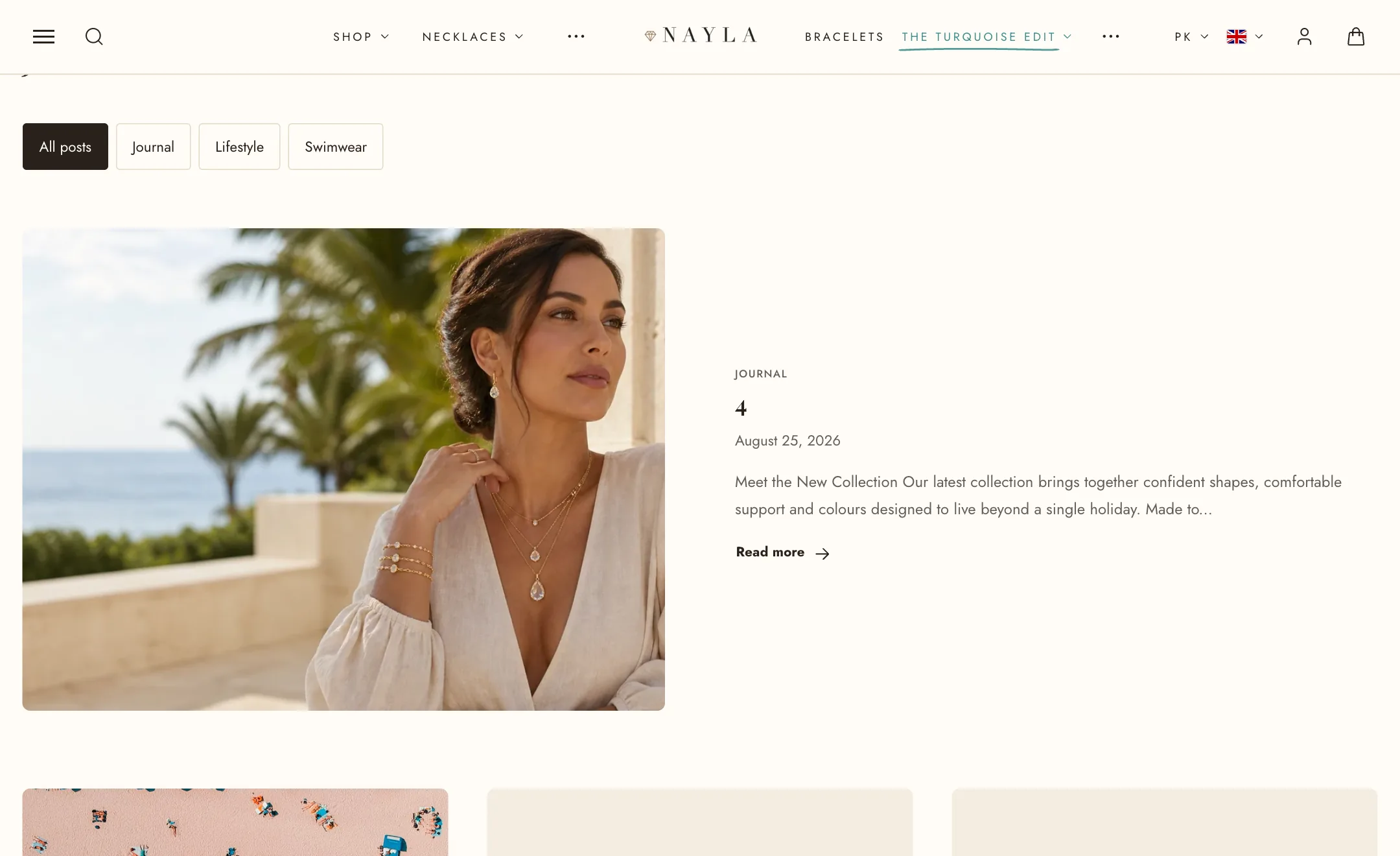
The blog page
Section titled “The blog page”Switch the editor to a Blog page. Under Heading, leave the heading empty to use the blog’s name, or write your own with a description. Show tag filter puts the blog’s tags above the posts so a reader can narrow the list, up to Maximum tags.
Under Blog posts, choose Grid or List, set the number of posts per page and per row, and select the image shape. You can also choose which details appear on each card: image, first tag, date, author, excerpt length, and a Read more link.
Feature first post shows the newest post large across the top of the first page, with its picture left or right.
The article page
Section titled “The article page”Switch to an Article page. Under Featured image, show the post’s picture boxed or full width, at its natural height or cropped short or tall. Under Heading, align it and choose whether tags, the date and the author show. Under After the article, add share links and a link to the next post. Comments follow your blog’s own setting in the Shopify admin.
Blog posts on other pages
Section titled “Blog posts on other pages”The Blog posts section, under Add section, shows a few posts from one blog anywhere: a heading with subtext and a View all link, the Blog and how many Posts, a grid or a carousel with the usual pagination choices, and the same card details as the blog page. On mobile the posts swipe sideways or stack.