
Password page
While your store is password protected, visitors see this page instead of your storefront. Style it to match the brand you are preparing to launch, because it may be a customer’s first impression of your store.
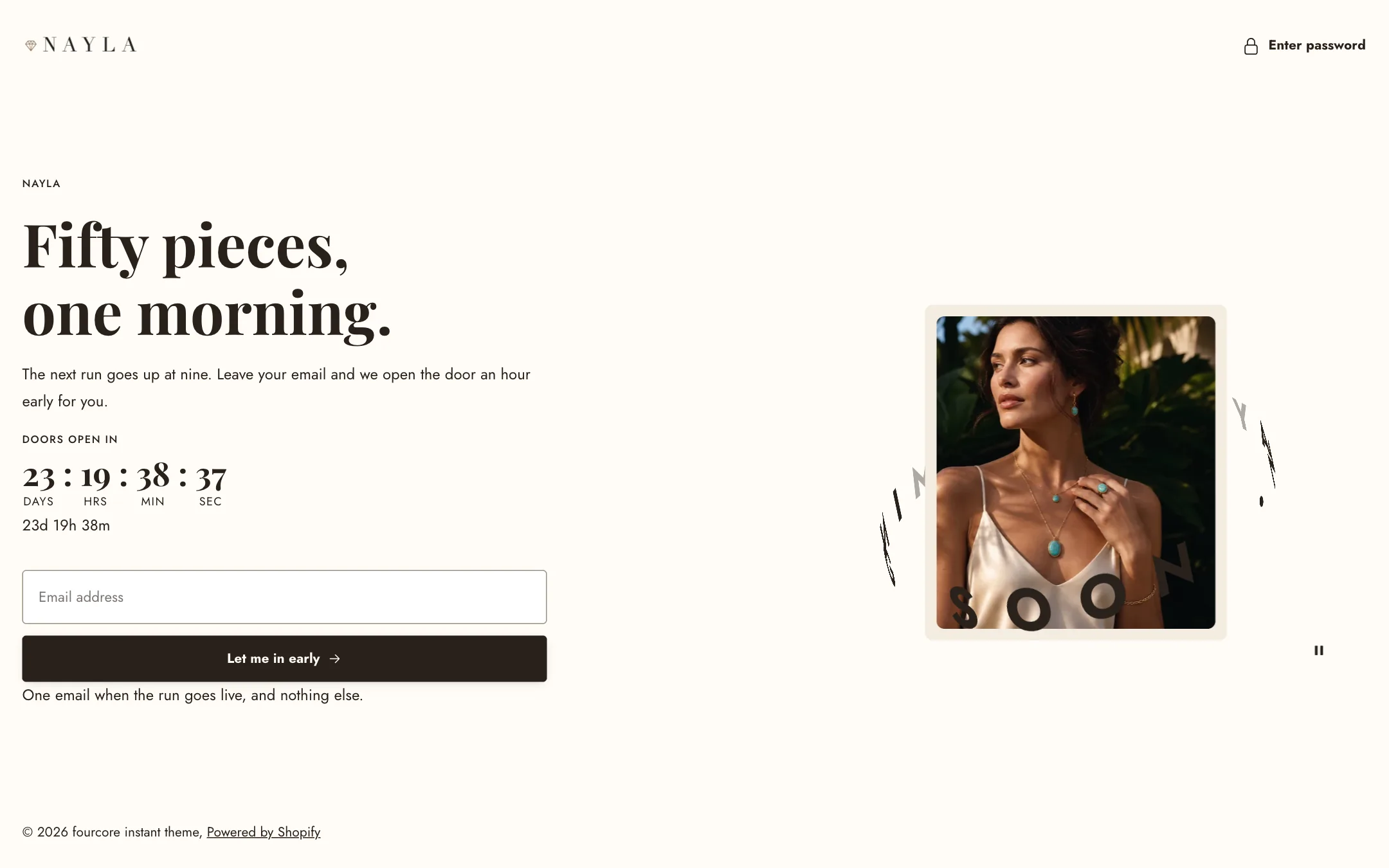
Set it up
Section titled “Set it up”In the Shopify admin, turn on the password under Online Store → Preferences. Then switch the editor to the Password page and select the Password content section.
Visual is the big choice: a Text orbit (a ring of words turning around a picture), an Image or video, or None for words only. Visual position and Visual column width place it beside the words; Text alignment aligns them.
Text orbit
Section titled “Text orbit”Under Text orbit, write short phrases separated by a dot, such as “Made with care · Made to last ·”. Rotate text turns the ring, at the speed and direction you set, with an optional play/pause button. Orbit width, Tilt and Slant shape the ring: flatter opens the hoop wider, slant leans it like a hoop mid-spin. Show image puts a picture in the middle; a transparent cut-out lets the words pass behind it, or Image card frames it.
Image or video
Section titled “Image or video”Under Media, pick an Image or a Video with play and pause controls. Height fills the column, adapts to the picture, or takes a custom height. Media to the screen edge lets it touch the side of the screen.
The words
Section titled “The words”The words are blocks: an eyebrow, heading, text, the shop’s password message from your admin, a newsletter form so visitors can be told when you open, buttons, a countdown to the opening, and your social links. Add, remove and reorder them.
Header and footer
Section titled “Header and footer”The Password header shows your logo from Theme settings → Logos and favicon, with its own colour scheme and width, and holds the Enter password control: a lock link that opens the password field in a panel coloured by Password box color scheme. Show the header can hide the bar; the Enter password control then stays alone in the top corner so you can still get in. The Password footer carries the copyright line. Show the footer hides it, Sit over the content lets it ride the bottom edge over a full-page picture, and Show Powered by Shopify is optional.
On mobile
Section titled “On mobile”Under Mobile layout: words or visual first, a phone picture, its own height and orbit size.