
Search
Search has two parts: the suggestions that appear as a shopper types, and the results page they land on when they press enter.
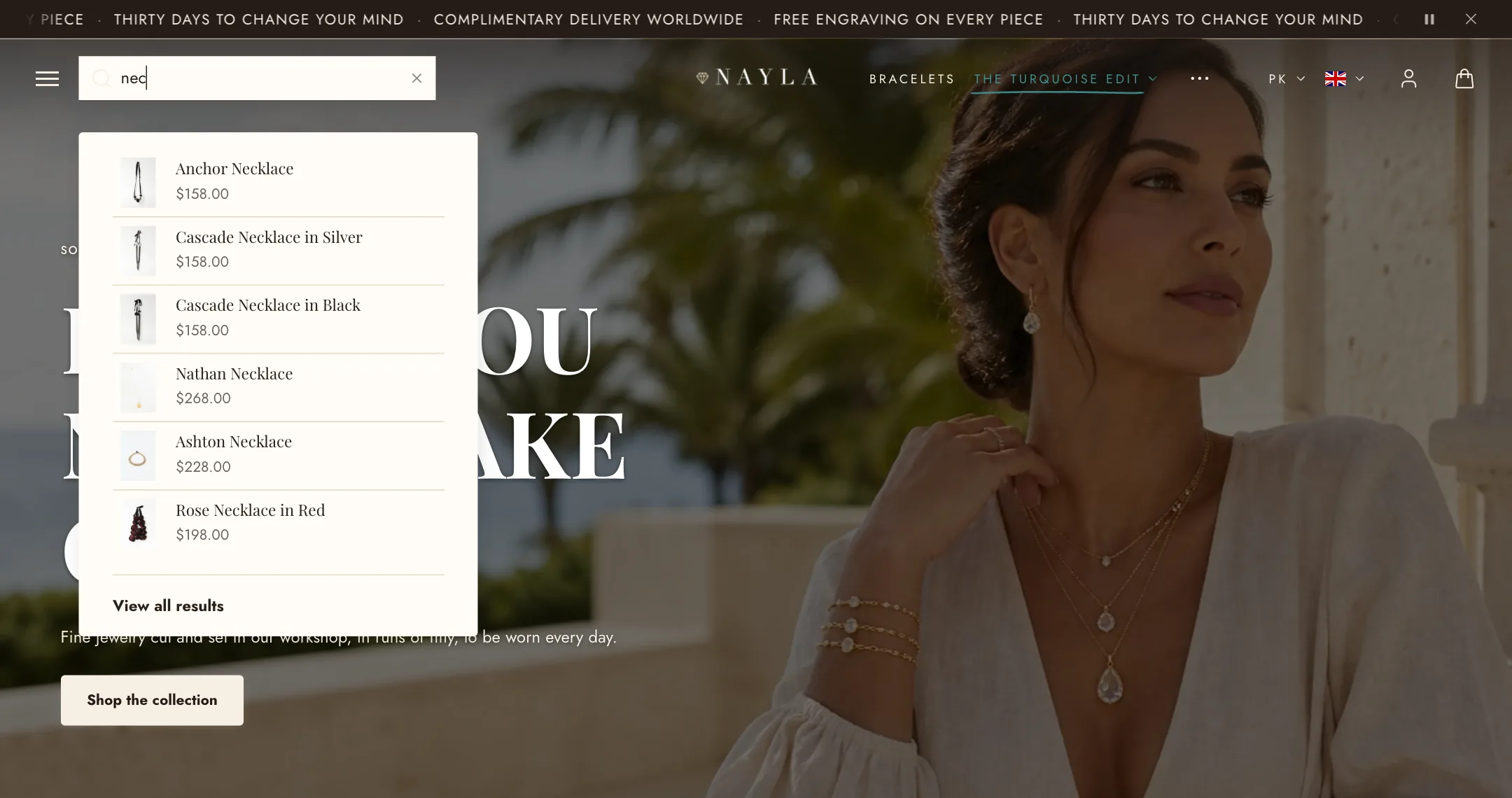
Suggestions
Section titled “Suggestions”The search icon in the header opens a search field. As the shopper types, matching products, collections, pages, and articles appear below it; product suggestions include images and prices. Configure these suggestions under Theme settings → Search.
On mobile, Mobile search in the header section decides whether the field opens from an icon or sits as a bar under the header.
The results page
Section titled “The results page”Switch the editor to the Search page. The Search section works like the collection page: the same Filters (sidebar, bar or drawer, set up in the Shopify Search & Discovery app), the same Sorting, and the same Layout choices for products per row, per page, and pagination.
Its blocks are the same too: Title with the result count, a Text note, Sorting options, the Products grid, an Image banner placed among the results, Spacing and Custom Liquid.
When nothing matches, the page says so and offers the search field again.